Waves Tech — Public Design Review
A proposed mobile technician portal for Waves Pest Control. The workflow is Today → Current visit → Perform and document service → Review and finish. This page contains static screenshots and the screen text; it can be read without JavaScript, an account, or embedded frames.
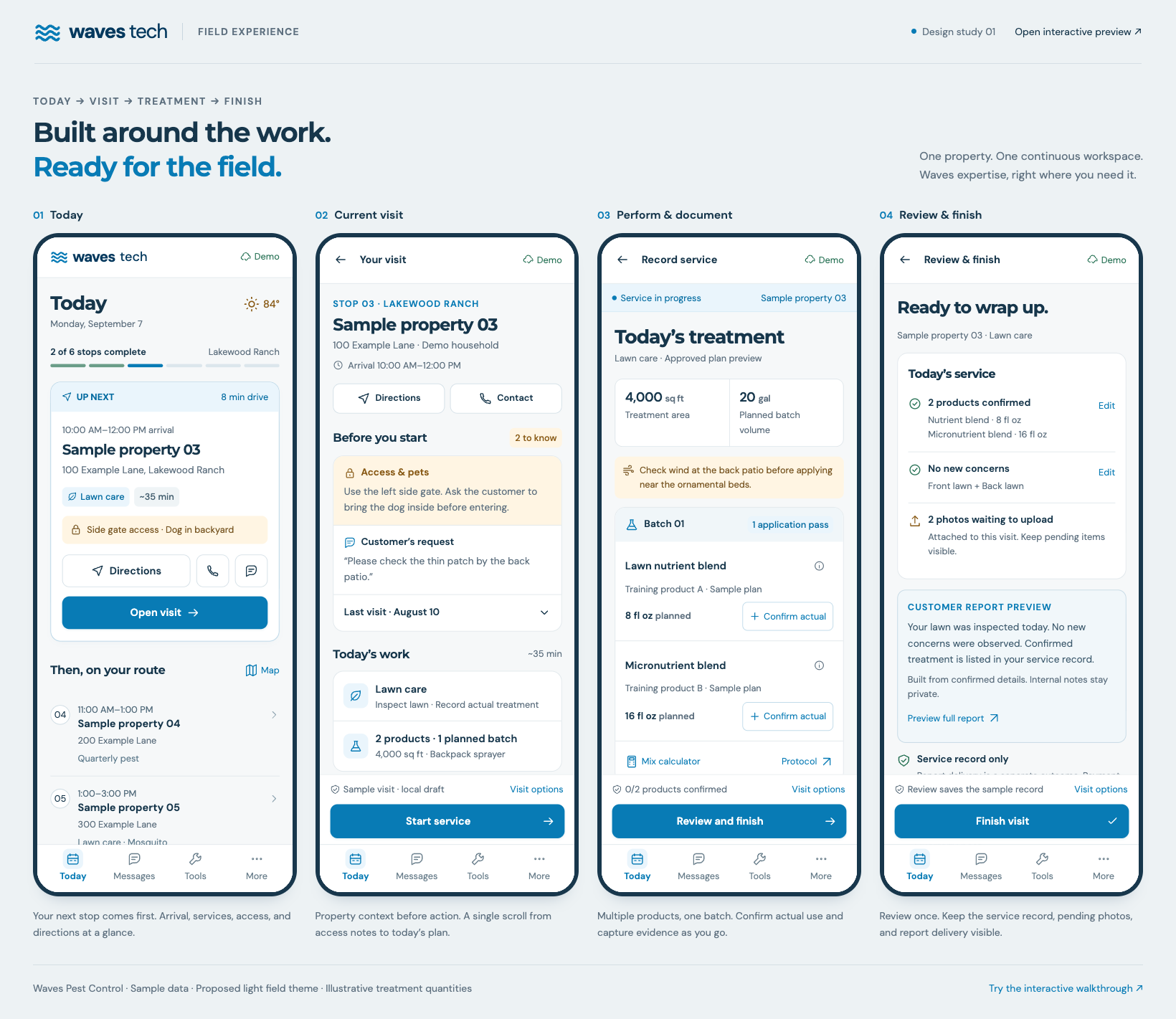
01 · Today
See the next stop first, with arrival time, services, access instructions, directions, and contact. The rest of the day is a readable route list.
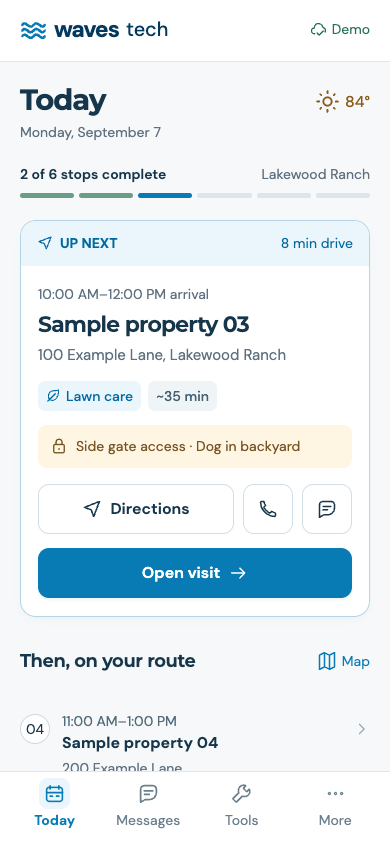
Screen text
waves
tech
Demo
Today

Monday, September 7

84°
2 of 6 stops complete
Lakewood Ranch
UP NEXT
8 min drive
10:00 AM–12:00 PM arrival
Sample property 03

100 Example Lane, Lakewood Ranch

Lawn care
~35 min
Side gate access · Dog in backyard
Directions
Open visit
Then, on your route
Map
04
11:00 AM–1:00 PM
Sample property 04

200 Example Lane

Quarterly pest
05
1:00–3:00 PM
Sample property 05

300 Example Lane

Lawn care · Mosquito
06
2:00–4:00 PM
Sample property 06

400 Example Lane

Quarterly pest
2 earlier stops completed
Design preview · fictional properties
Today
Messages
Tools
More
02 · Current visit
Review access and pets, the customer request, previous findings, and scheduled work before starting the service.
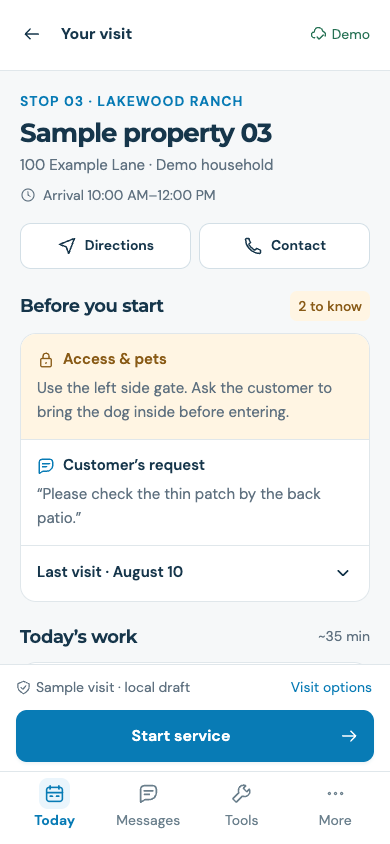
Screen text
Your visit
Demo
STOP 03 · LAKEWOOD RANCH
Sample property 03

100 Example Lane · Demo household

Arrival 10:00 AM–12:00 PM
Directions
Contact
Before you start
2 to know
Access & pets

Use the left side gate. Ask the customer to bring the dog inside before entering.

Customer’s request

“Please check the thin patch by the back patio.”

Last visit · August 10
Today’s work
~35 min
Lawn care
Inspect lawn · Record actual treatment
2 products · 1 planned batch
4,000 sq ft · Backpack sprayer
View treatment plan & protocol
Record the service

Start service to confirm actual products, record findings, and add visit photos.

Design preview · sample visit
Sample visit · local draft
Visit options
Start service
Today
Messages
Tools
More
03 · Perform and document service
Keep planned treatment distinct from actual treatment. Confirm actual amounts for multiple products in one batch, select areas, record findings, and add photos.
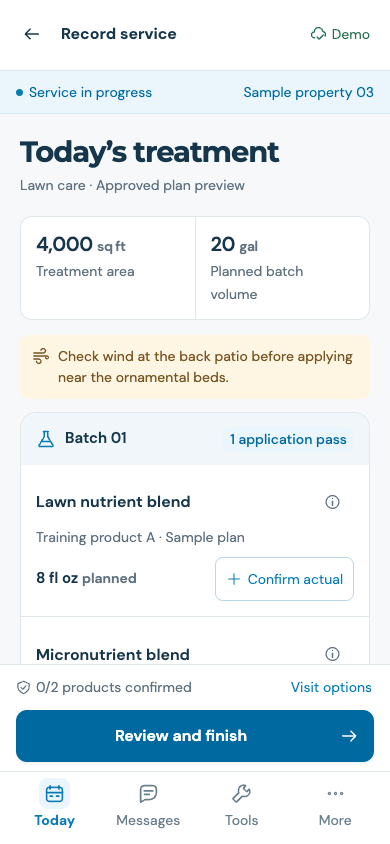
Screen text
Record service
Demo
Service in progress
Sample property 03
Today’s treatment

Lawn care · Approved plan preview

4,000 sq ft
Treatment area
20 gal
Planned batch volume
Check wind at the back patio before applying near the ornamental beds.
Batch 01
1 application pass
Lawn nutrient blend

Training product A · Sample plan

8 fl oz planned
Confirm actual
Micronutrient blend

Training product B · Sample plan

16 fl oz planned
Confirm actual
Mix calculator
Protocol

0 of 2 products confirmed. Planned products are not recorded as applied.

Areas treated
Front lawn
Back lawn
Side lawn
What did you find?
No new concerns
Concern observed
Internal field notes · optional
Visit photos
Add photo

Add a photo where you find it. It stays with this visit.

Training products · illustrative quantities
0/2 products confirmed
Visit options
Review and finish
Today
Messages
Tools
More
04 · Review and finish
Review confirmed facts once. See actual products, structured findings, pending photos, and a customer report preview before finishing.
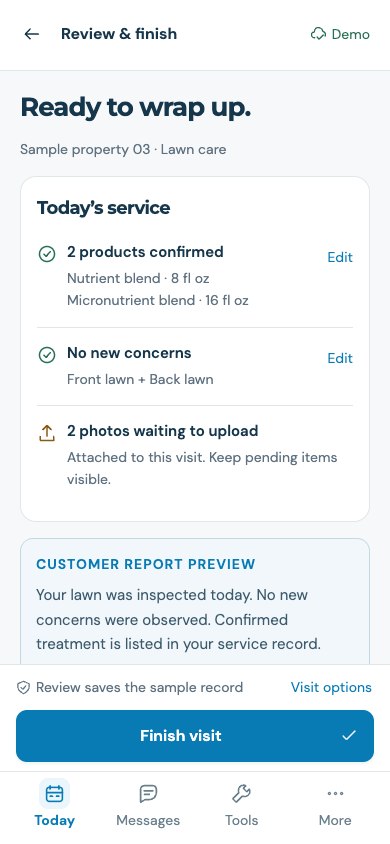
Screen text
Review & finish
Demo
Ready to wrap up.

Sample property 03 · Lawn care

Today’s service
2 products confirmed

Nutrient blend · 8 fl oz
Micronutrient blend · 16 fl oz

Edit
No new concerns

Front lawn + Back lawn

Edit
2 photos waiting to upload

Attached to this visit. Keep pending items visible.

CUSTOMER REPORT PREVIEW

Your lawn was inspected today. No new concerns were observed. Confirmed treatment is listed in your service record.

Built from confirmed details. Internal notes stay private.
Preview full report
Service record only

Report delivery is a separate outcome. Payment follows existing billing rules.

I’ve reviewed the actual treatment and findings.
Review saves the sample record
Visit options
Finish visit
Today
Messages
Tools
More
05 · Completion outcome
Show the saved record, pending uploads, unsent customer report, and billing outcome separately. A saved visit does not imply every downstream step is complete.
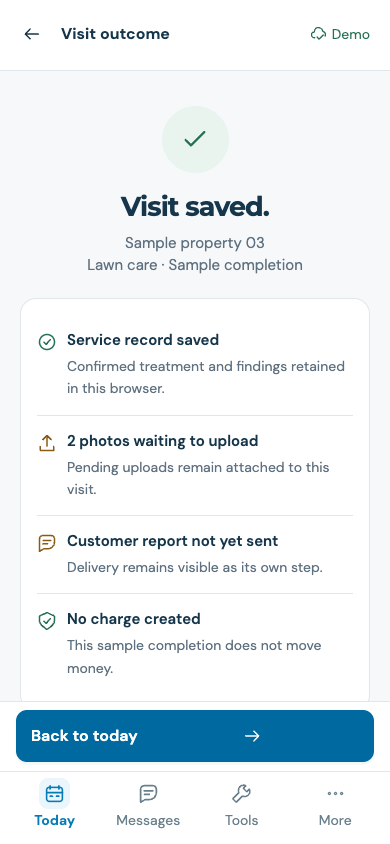
Screen text
Visit outcome
Demo
Visit saved.

Sample property 03
Lawn care · Sample completion

Service record saved

Confirmed treatment and findings retained in this browser.

2 photos waiting to upload

Pending uploads remain attached to this visit.

Customer report not yet sent

Delivery remains visible as its own step.

No charge created

This sample completion does not move money.

Simulate photo sync
Next on your route
Stop 04
Sample property 04
Quarterly pest · 11:00 AM–1:00 PM
Design preview · nothing sent or charged
Back to today
Today
Messages
Tools
More
Design principles and navigation
- One bottom navigation: Today · Messages · Tools · More. Keep an active visit easy to resume.
- Waves blue and navy on white surfaces. Readable controls, 16 px body/input target, 14 px supporting-label floor, and approximately 50–52 px primary actions.
- Approved plans prefill work; technician confirmation records actual product usage. Multiple approved products may share one batch and one primary pass when the protocol allows it.
- Property access, pet instructions, and customer requests lead the visit. Expand history in place.
- AI assistance is optional. Manual findings, actual amounts, photos, and completion remain the core workflow.
- Keep internal notes private. Build customer report wording from eligible, confirmed structured data.
- Separate service-record save, upload, report-delivery and billing outcomes. Visible pending work supports interruption recovery.
Concept scope
This is a design concept using fictional properties and illustrative training products. Actual photo capture, uploads, offline synchronization, and the proposed Messages inbox are simulated. Sample records stay in the viewer’s browser. No customer communications, appointment changes, or charges occur. Existing Waves permissions, approved protocols, billing rules, and specialized certificate requirements remain implementation constraints.